Tabular2MCAP


Convert tabular data (CSV, Parquet, Excel, and more) to MCAP format with support for ROS2 and JSON schemas, enabling seamless integration with robotics workflows, data visualization in Foxglove Studio, and playback of sensor and navigation data.
Please ⭐ if this helps you today!
🎥 Video Tutorial
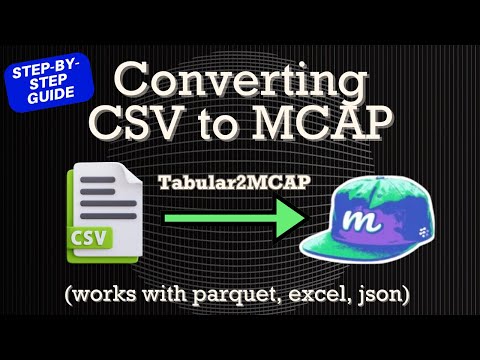
Convert CSV, Excel, or Parquet to MCAP in minutes with this step‑by‑step walkthrough.
Features
- Multi-Format Support: Convert to ROS2, JSON, or Protobuf messages with support for standard message types (e.g.,
sensor_msgs/msg/NavSatFix,geometry_msgs/msg/TransformStamped,foxglove.LocationFix, and more) - Configuration-Driven: YAML-based mapping with Jinja2 templates for flexible data transformation
- Batch Processing: Process multiple files and directories with a single command
Quick Start
Installation
# Basic installation (CSV, TSV, JSON, Pickle)
pip install tabular2mcap

# With optional formats
pip install tabular2mcap[parquet]      # Parquet files
pip install tabular2mcap[feather]      # Feather files
pip install tabular2mcap[orc]          # ORC files
pip install tabular2mcap[excel]        # Excel files (.xlsx)
pip install tabular2mcap[excel-legacy] # Excel files (.xls)
pip install tabular2mcap[xml]          # XML files
pip install tabular2mcap[protobuf]     # Protobuf output format
pip install tabular2mcap[all-formats]  # All formats
Basic Usage
tabular2mcap \
  -i /path/to/data/directory \
  -o output.mcap \
  -c config.yaml \
  -f converter_functions.yaml
Configuration System
The tool uses YAML configuration files to define how CSV files should be processed. These are:
config.yaml: Defines file patterns and converter function mappingsconverter_functions.yaml: Contains Jinja2 templates for data transformation
Example Configurations
JSON Format:
# config.yaml
writer_format: "json"
file_mappings:
  - file_pattern: 'data.csv'
    converter_functions:
      - function_name: "row_to_foxglove_location_fix"
        schema_name: "foxglove.LocationFix"
        topic_suffix: "LocationFix"
ROS2 Format:
# config.yaml
writer_format: "ros2"
tabular_mappings:
  - file_pattern: '**/data.csv'
    converter_functions:
      - function_name: "row_to_nav_sat_fix"
        schema_name: "sensor_msgs/msg/NavSatFix"
        topic_suffix: "NavSatFix"
Protobuf Format:
# config.yaml
writer_format: "protobuf"
tabular_mappings:
  - file_pattern: '**/data.csv'
    converter_functions:
      - function_name: "row_to_location_fix"
        schema_name: "foxglove.LocationFix"
        topic_suffix: "LocationFix"
Note: Protobuf
repeatedfields are variable length (no fixed-size arrays like ROS2). Array templates show a single placeholder element; populate with actual data dynamically.
Tutorial
For detailed instructions on adding support for new types of CSV data, see the Tutorial in the documentation.
Supported By

This project is supported by Alloy - Search all your robot data in plain english. Alloy provides a platform to unify image, time-series, and log search for robotics teams.
License
GNU General Public License v3.0 - see LICENSE for details.